Aura Canvas
Making imported HTML easier to understand, edit, preview, and maintain.
Aura Canvas is a browser-based visual editing system designed to bridge the gap between AI-generated HTML and the ongoing work of maintaining a real website. It replaces unmanageable spaghetti markup with structured visual modules without stripping away native code fidelity.
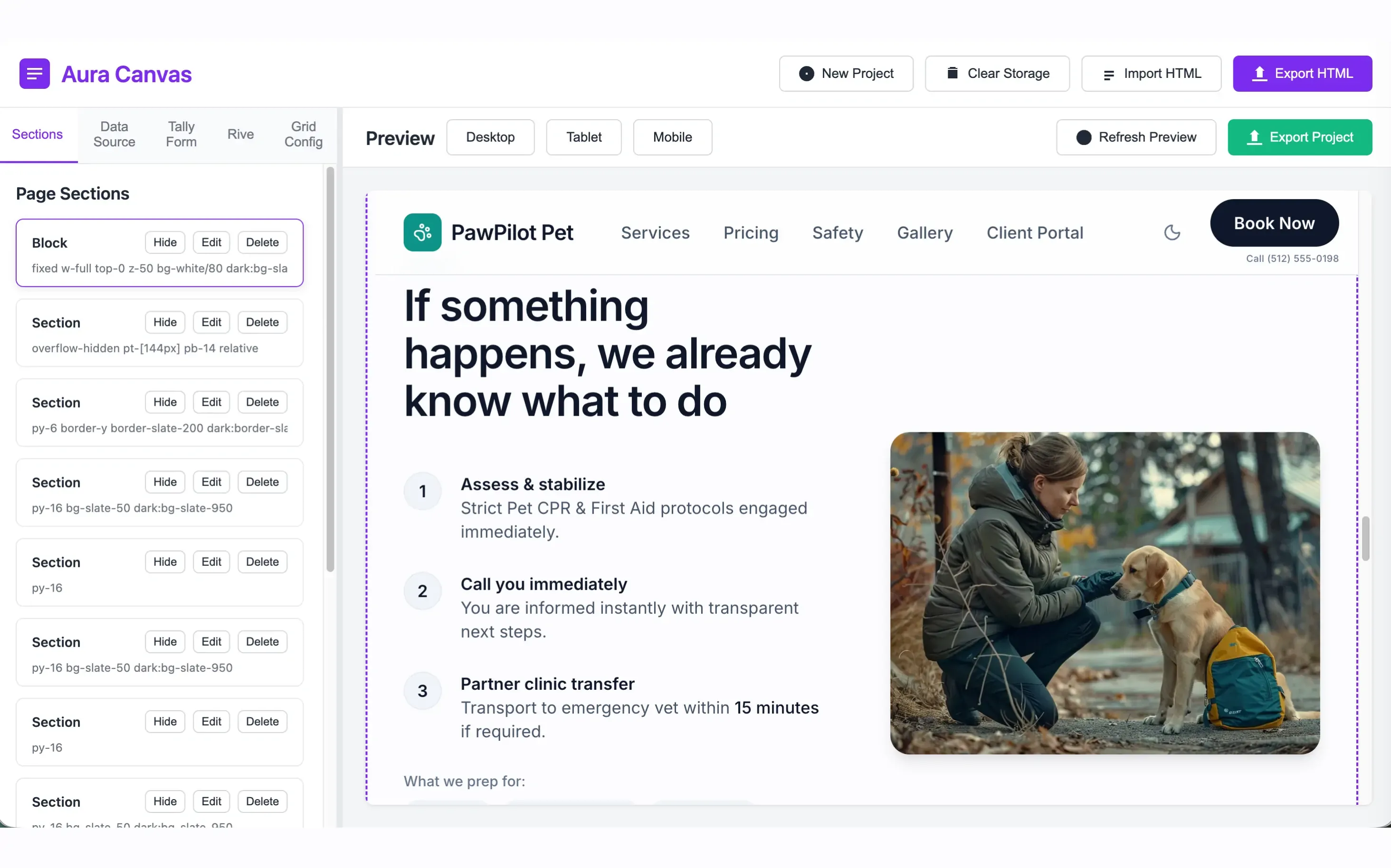
Generating a page is easy. Maintaining it is not.
Generative AI tools and automated page builders have made HTML generation nearly frictionless. In seconds, users can produce sprawling single-page sites containing hundreds of nested elements, inline styles, and bespoke class declarations.
However, this velocity creates immediate downstream cognitive friction: the produced markup is inherently opaque. The second a designer or front-end developer needs to adjust typographic spacing, restyle grid layouts across viewports, or connect dynamic content, they are forced into either an incomprehensible raw code editor or a rigid, proprietary site builder that breaks standard web output.
Aura Canvas was initiated to construct a transparent intermediary layer: parsing raw imported HTML directly into meaningful visual regions, modular sections, and design tokens while keeping the source code fully transparent, standard-compliant, and exportable.
Turn an imported HTML page into a manageable visual structure while preserving the ability to preview, configure, and export the underlying result.
Break opaque HTML trees into coherent visual regions without requiring manual code inspection.
Expose the spatial decisions users iterate on repeatedly - grids, spacing, typography, colors - as direct controls.
Output clean, standard HTML and CSS with zero lock-in, vendor dependencies, or hidden runtimes.
The 7-Stage End-to-End Pipeline
How Aura Canvas parses raw HTML, establishes visual section bounds, isolates styling environments, and reconstructs standard production-ready code.
HTML Import
Raw code ingestion via clipboard, file upload, or URL.
DOM Parsing
Native DOMParser analyzes tree & isolates main landmarks.
Section Mgmt
Boundaries mapped to modular, re-orderable visual slices.
Grid & Styles
Direct manipulation of columns, gutters, and tokens.
Data Binding
Linking dynamic JSON arrays to repeated DOM cards.
Live Preview
Multi-device iframe sandbox with zero CSS leakage.
Standard Export
Zero-dependency bundle with semantic markup & clean CSS.
Three Core Design Choice Points
Every complex tool requires difficult tradeoffs. These three pivotal forks defined Aura Canvas's conceptual model and user experience.
Edit raw code - or create a structured visual layer?
The Situation: Conventional code editors preserve 100% of HTML/CSS flexibility, but they provide zero relief from the cognitive load of navigating 1,200 lines of generated code. Conversely, visual website builders turn everything into proprietary canvas nodes, destroying semantic HTML and locking the author in.
"Reduce complexity without removing control."
<div class="grid grid-cols-1 md:grid-cols-12 gap-8 items-center">
<div class="md:col-span-7 flex flex-col gap-4">
<span style="font-size:12px;letter-spacing:0.1em;color:#48cae4">NEW</span>
<h1 class="font-bold text-4xl leading-tight">...</h1>
<p class="text-gray-300 text-lg">...</p>
</div>
<div class="md:col-span-5 relative">
<img src="..." />
</div>
</div>
</div>
Maximum freedom - or a controlled editing system?
The Situation: Freeform pixel drag-and-drop tools (absolute positioning) give the illusion of speed, but they generate unmaintainable, brittle code that collapses on diverse screen sizes. Conversely, exposing all 400+ native CSS properties in the sidebar paralyzes the user with micro-decisions.
The Decision: Cluster controls around the primary structural anchors of responsive web layouts: Section boundaries, Grid track definitions, and Semantic Style tokens. Keep fine-grained styling accessible via secondary detail drawers without cluttering the primary workflow.
"Expose the decisions users make repeatedly; keep exceptional complexity available but secondary."
Controlled 3-tier parameter taxonomy preventing layout breakage.
Depend on a backend - or begin with a local-first product?
The Situation: Standard industry instincts dictate setting up authentication databases, cloud sync servers, and hosting pipelines before releasing an editor. However, this introduces network latency, subscription paywalls, and deep privacy concerns for engineers pasting sensitive proprietary code.
The Decision: Build Aura Canvas strictly as a local-first browser client using browser native storage (IndexedDB for parsed AST snapshots and localStorage for session preferences). The entire loop - from paste to parse, edit, and export - happens 100% on the client machine in sub-millisecond response times with zero network round trips.
"Validate the core product loop before expanding the platform."
Enables immediate testing without account signups, database hosting costs, or third-party compliance hurdles.
From imported page to editable system.
A step-by-step walkthrough of how a user navigates Aura Canvas from initial opaque HTML ingestion to clean production delivery.
Import HTML
Paste raw code or drag in `.html` files. The input sanitizer strips harmful scripts while retaining layout classes, inline SVG icons, and inline styles.
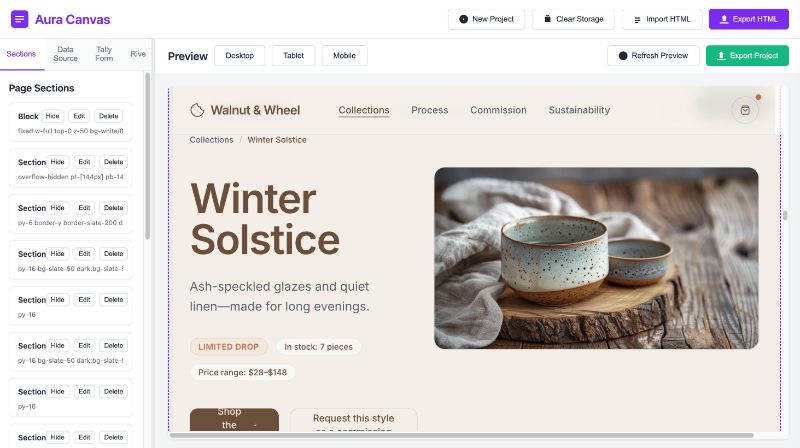
Review Structure
DOMParser identifies root landmarks (`<header>`, `<main>`, `<section>`, `<footer>`), presenting a clean semantic tree instead of 1,000 raw lines.
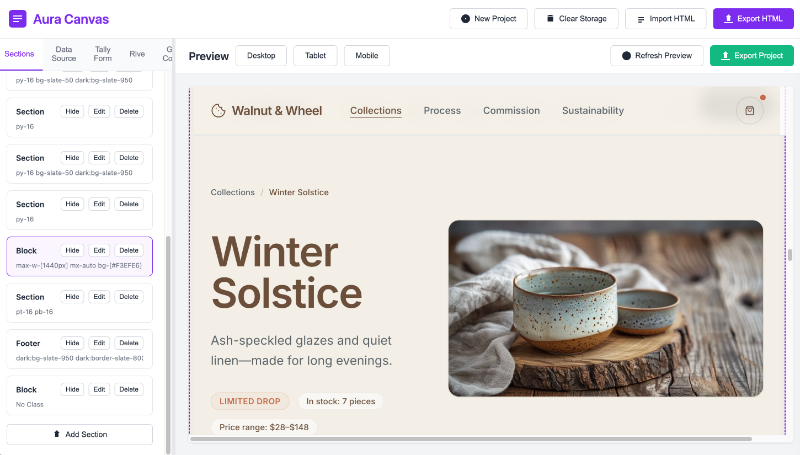
Manage Sections
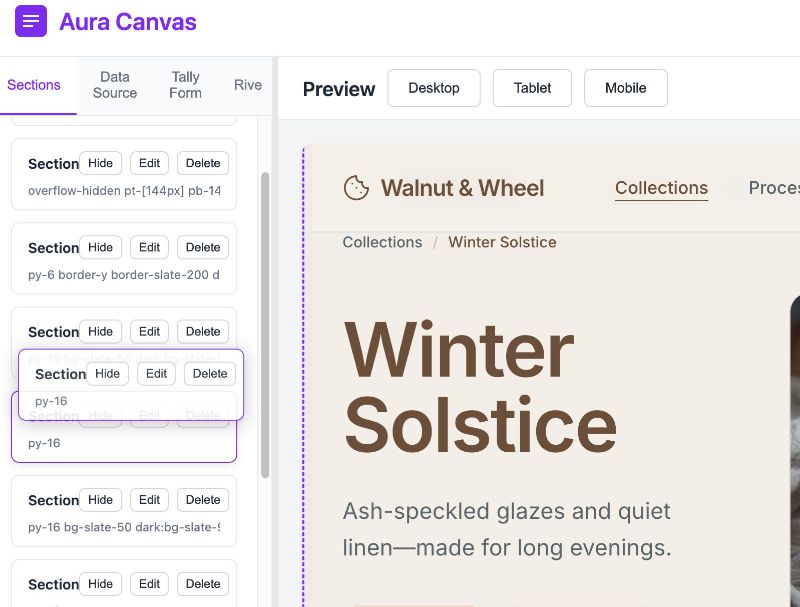
Rearrange page blocks effortlessly via drag-and-drop handles. Duplicate modules, temporarily hide drafts, or isolate sections for targeted editing.
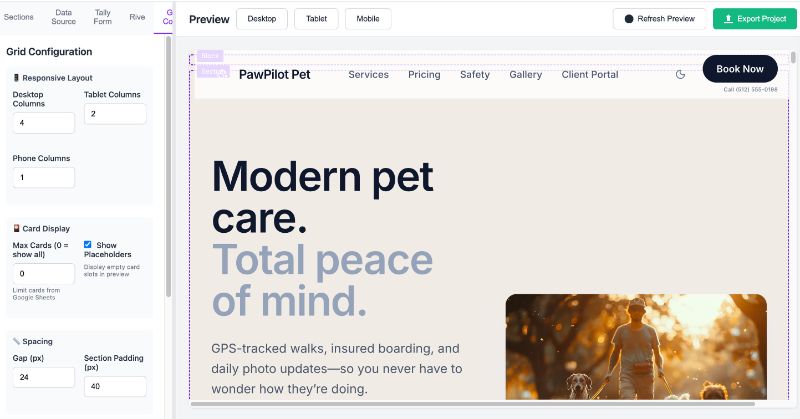
Configure Grid & Styles
Manipulate column proportions, vertical alignment, typography scales, and unified color palettes directly using tactile sliders and token pills.
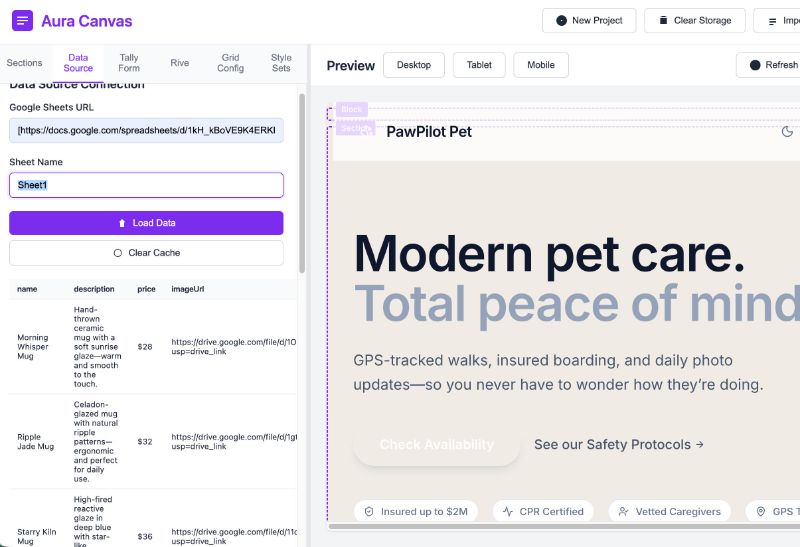
Connect Content or Data
Bind JSON fields to visual elements. Repetitive items (team grids, product catalogs) update synchronously from simple key-value inputs without code editing.
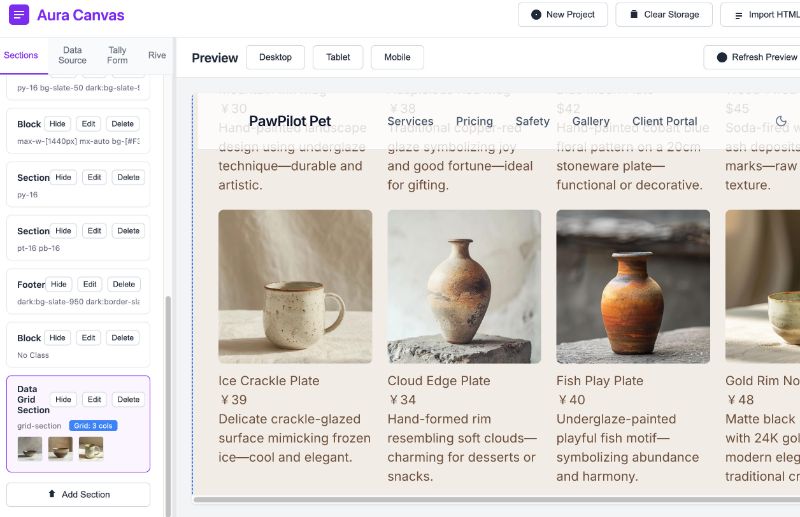
Preview & Export
Toggle live mobile, tablet, and wide desktop viewports. Download standard, zero-dependency HTML/CSS bundles with clean class structures and no proprietary code.
An editor needs a consistent language of states.
Complex design tools fail when users lose spatial orientation. We formalized six fundamental UI states with rigorous visual boundaries to guarantee predictable interaction feedback.
Provides continuous orientation across project switching, unsaved memory status, and IndexedDB sync feedback with color-coded badges.
Active vs. hover vs. multiselect states use distinct teal tints (`#176B73`) and hairline rules rather than heavy shadows to maintain calm scanning.
Visual representations of grid tracks allow designers to split, join, or nudge column spans with instantaneous CSS preview updates.
Typographic and color inputs show immediate global inheritance. Editing a root CSS variable updates all linked components synchronously.
Iframe sandboxes test 320px, 768px, and 1200px breakpoints with simulated zoom ratios and media query triggers.
Provides clean diff generation, code minification toggles, and one-click clipboard copying or direct `.zip` distribution.
Design decisions tested through implementation.
Building Aura Canvas as a working software product - not merely static Figma prototypes - immediately challenged initial UX hypotheses and uncovered critical browser runtime constraints.
The foremost challenge was CSS cascading leakage: imported third-party CSS files regularly broke the host editor's navigation and panel layouts. This necessitated constructing a strict shadow DOM iframe sandboxing strategy where user styles are parsed and encapsulated while allowing real-time bidirectional messaging between host canvas controls and client markup.
Additionally, the browser's native DOMParser proved exceptionally resilient at recovering malformed HTML tags generated by AI models. Implementing this in vanilla JavaScript eliminated heavy framework runtime overhead, preserving 60fps rendering even when parsing complex landing pages with dozens of nested SVG vectors.
Successfully tested against 40+ AI-generated HTML landing pages without data loss or layout destruction.
What I would explore next.
Key learnings from the initial release and technical avenues for the next evolutionary iteration of the Aura Canvas architecture.
Formal Usability Testing with Non-Technical Designers
While front-end developers immediately grasped the direct DOM tree and CSS grid controls, non-coding product designers experienced friction with nomenclature like "CSS Grid Tracks" versus simple "Column Counts". Future work should evaluate progressive disclosure layers tailored to user skill profiles.
Universal vs. Component-Specific Controls
Striking the right balance between generalized properties (margin, padding, background) and specialized component controls (video embeds, interactive form inputs) remains an active design question. A modular plugin inspector is planned for v2.
Time-Travel Versioning via CRDTs
Currently, history snapshots use full IndexedDB states. Transitioning to Conflict-Free Replicated Data Types (CRDTs) like Yjs would unlock seamless multi-tab collaboration, branching iterations, and character-level undo/redo histories.
Fault-Tolerant Heuristics for Unsemantic Markup
When imported HTML completely lacks semantic tags and relies exclusively on generic nested `<div>` structures, automated section detection can misjudge boundaries. Developing lightweight visual clustering heuristics based on computed DOM heights will significantly improve auto-sectioning fidelity.